

MultiLipi का न्यूरल इंजन केवल "शब्दों का अनुवाद" नहीं करता है; यह 120+ भाषाओं की जटिल स्क्रिप्ट रेंडरिंग, दिशात्मकता और सांस्कृतिक बारीकियों का समर्थन करता है। चाहे आप Spanish और Mandarin जैसे उच्च-मात्रा वाले बाज़ारों को लक्षित कर रहे हों, या Vietnamese और Swahili जैसी रणनीतिक उभरती अर्थव्यवस्थाओं को, हमारा इंफ्रास्ट्रक्चर सुनिश्चित करता है कि आपकी साइट पूरी तरह से रेंडर हो।
पूर्ण भाषा मैट्रिक्स देखें
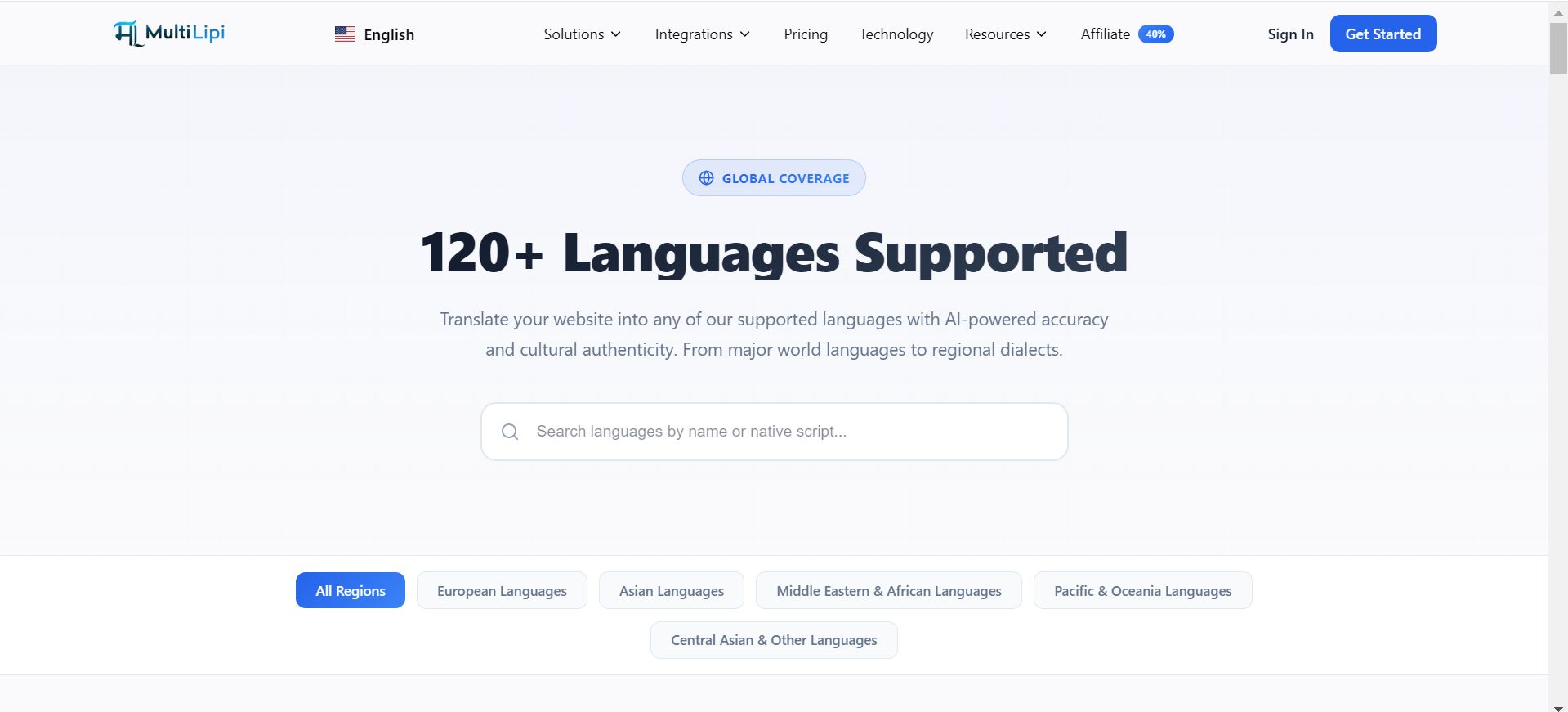
वैश्विक कवरेज मैट्रिक्स
हमारे इंफ्रास्ट्रक्चर को विविध विस्तार रणनीतियों का समर्थन करने के लिए वर्गीकृत किया गया है:
टियर 1 बाज़ार (वैश्विक वाणिज्य)
अंग्रेजी, स्पेनिश, फ्रेंच, जर्मन, मंदारिन (सरलीकृत और पारंपरिक), और जापानी सहित प्रमुख जीडीपी चालकों के लिए पूर्ण न्यूरल समर्थन।
RTL आर्किटेक्चर
अरबी, हिब्रू और फ़ारसी जैसी राइट-टू-लेफ्ट स्क्रिप्ट के लिए मूल समर्थन, यूआई स्थिरता सुनिश्चित करने के लिए स्वचालित सीएसएस मिररिंग सहित।
क्षेत्रीय बोलियाँ
स्थानीय एसईओ प्रासंगिकता को अधिकतम करने के लिए बोलियों के बीच अंतर (उदाहरण के लिए, पुर्तगाली-ब्राज़ील बनाम पुर्तगाली-पुर्तगाल)।
उभरते बाज़ार
इंडोनेशियाई, तुर्की, पोलिश और हिंदी जैसी भाषाओं के माध्यम से उच्च-विकास वाले क्षेत्रों के लिए समर्थन।
तकनीकी रेंडरिंग क्षमताएं
भाषा जोड़ना एक तकनीकी घटना है। हमारी प्रणाली जटिलताओं को स्वचालित रूप से संभालती है:
स्क्रिप्ट रेंडरिंग
हम जटिल स्क्रिप्ट (जैसे, थाई, देवनागरी) के लिए सही यूनिकोड वर्ण प्रदान करते हैं ताकि "टोफू" बॉक्स या विकृत टेक्स्ट को रोका जा सके।
टाइपोग्राफी नियंत्रण
आप विशिष्ट भाषाओं के लिए विशिष्ट फ़ॉन्ट फ़ैमिली असाइन कर सकते हैं (उदाहरण के लिए, अरबी के लिए एक विशेष नाश्क फ़ॉन्ट असाइन करना) ताकि पठनीयता सुनिश्चित हो सके।
एसईओ आईएसओ कोड
हम hreflang टैग के लिए सही ISO 639-1 कोड स्वचालित रूप से असाइन करते हैं, यह सुनिश्चित करते हुए कि Google ठीक से समझता है कि आप किस क्षेत्र को लक्षित कर रहे हैं।
अपने सक्रिय स्टैक का प्रबंधन
आप अपने कमांड सेंटर से तुरंत भाषाओं को प्रावधान या बंद कर सकते हैं।
1. नेविगेट करें
पर जाएं सेटिंग्स > भाषाएँ.
2. जोड़ें
क्लिक करें भाषा जोड़ें और हमारे डेटाबेस में खोजें।
3. हटाएं
उपयोग करें हटाने का आइकन बाजार को बंद करने के लिए ( 🗑️)
कस्टम और विशिष्ट आवश्यकताएं
क्या आपको कोई विशिष्ट बोली या विशिष्ट भाषा दिखाई नहीं दे रही है जिसकी आपको आवश्यकता है?
हमारा बुनियादी ढांचा लगातार विकसित हो रहा है। यदि आपको किसी विशिष्ट स्थान की आवश्यकता है जो वर्तमान में सूचीबद्ध नहीं है, तो कृपया हमारी इंजीनियरिंग टीम से संपर्क करें support@multilipi.com. हम अक्सर एंटरप्राइज़ पार्टनर अनुरोधों के आधार पर नई भाषा जोड़ी जोड़ते हैं।